
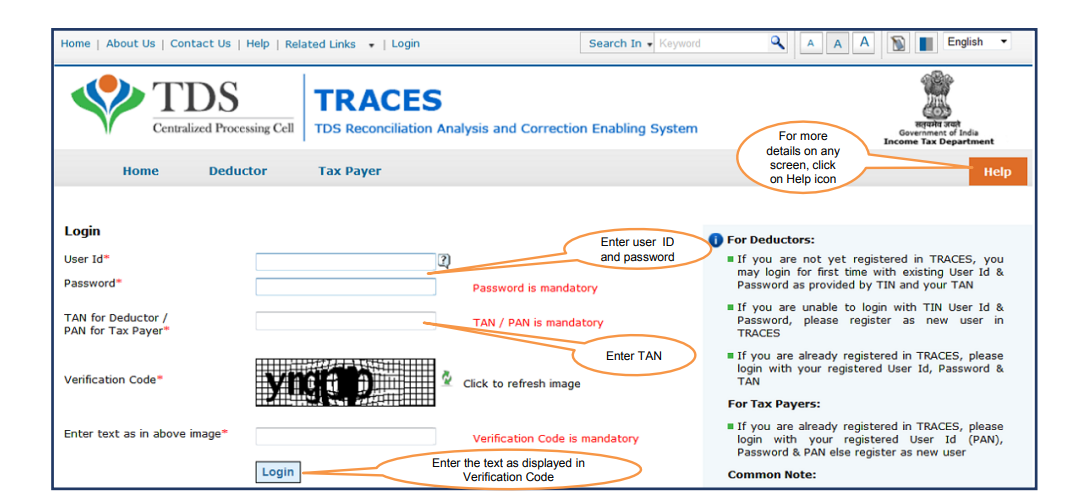
Step 1: Login to TRACES website(www.tdscpc.gov.in) with User ID, Password, TAN & captcha code.
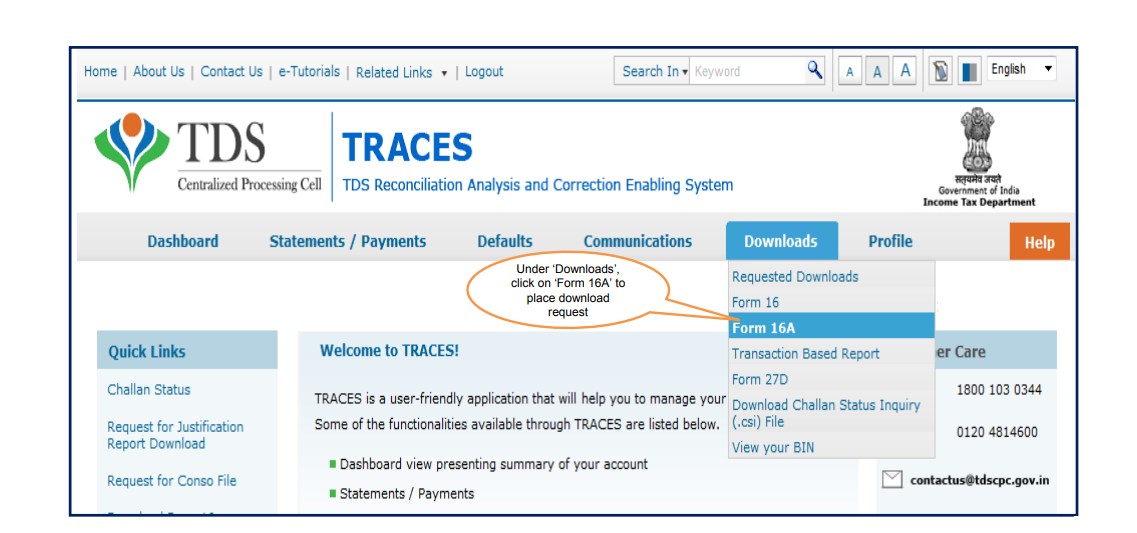
Step 2: Click on "Form 16” option available in “Download’s” tab
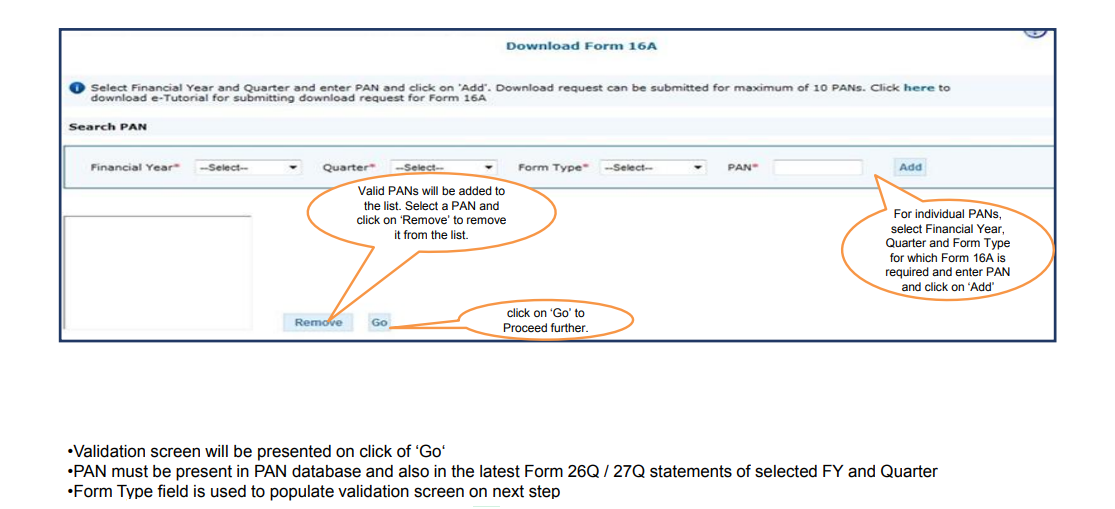
Step 3: Select the Financial Year and Part-A, for which Form 16 is required and enter PAN and click on „Add‟ “Search PAN download” or “Bulk PAN downloads” and click “Go”.
-
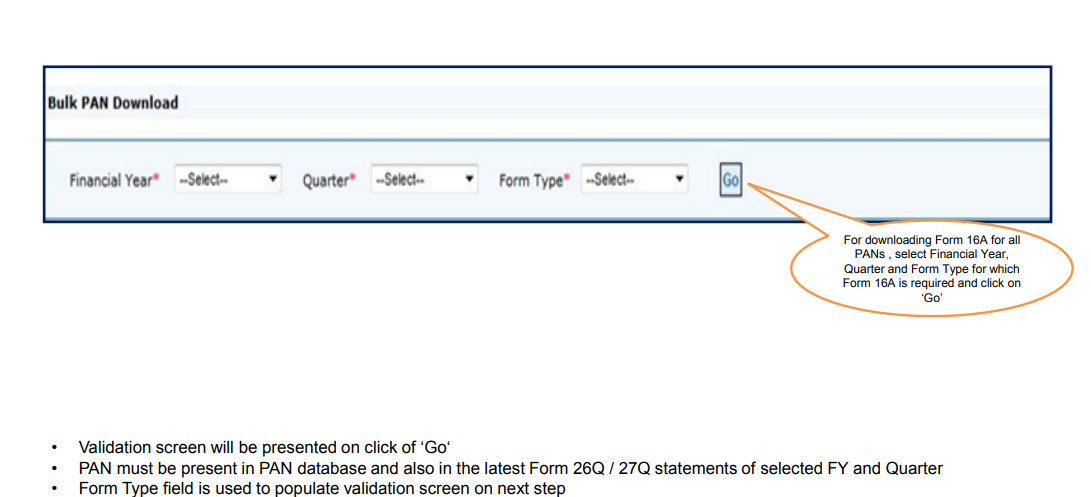
Bulk PAN download -- Option is to download Form 16 Part-A for all valid PAN’s.
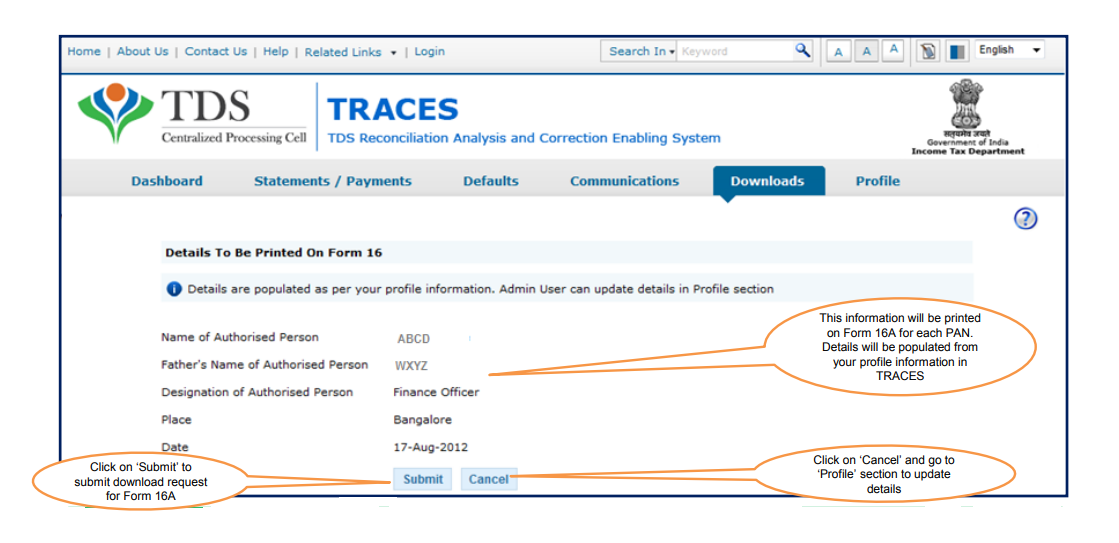
Step 4: This information of your Authorized Persons. This information will be printed on each Form 16 Part-A. Click on “Submit”
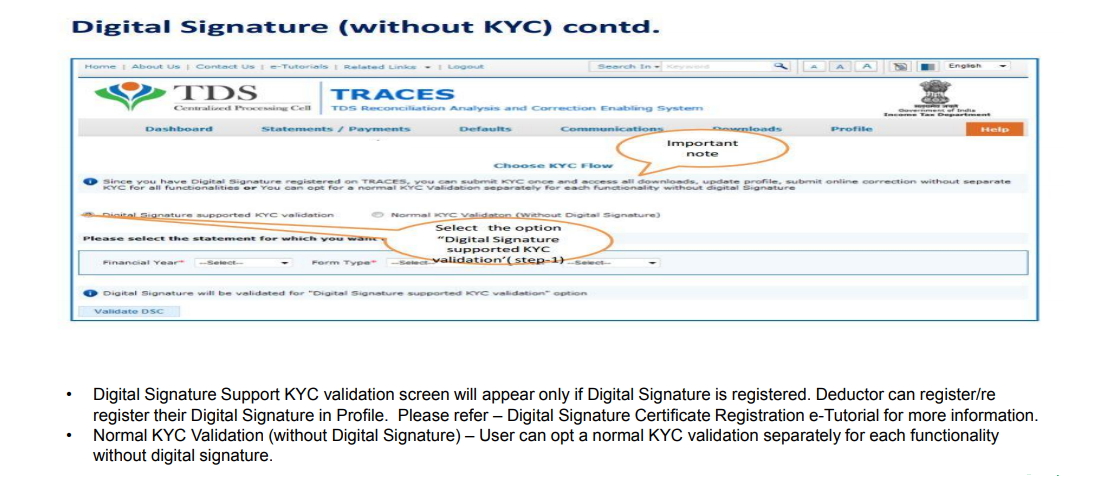
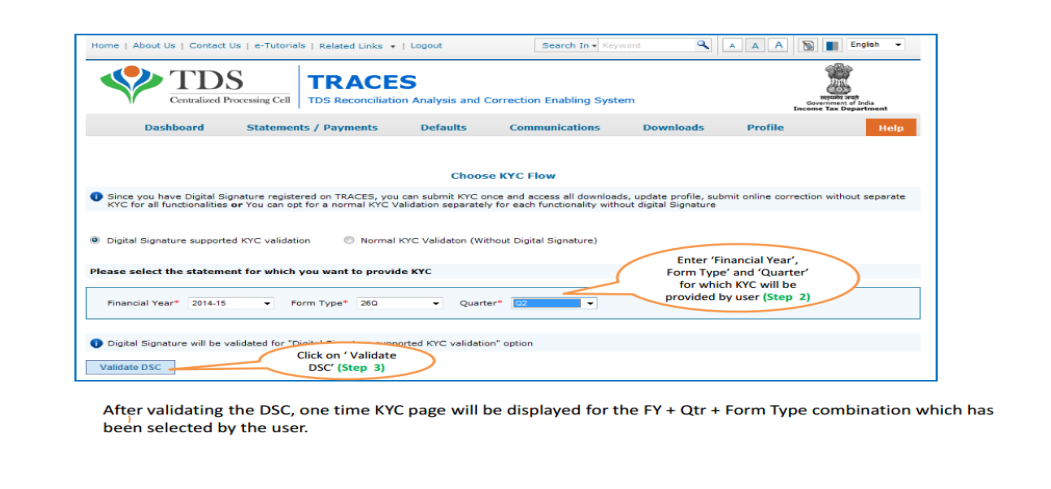
Step 5: Fill the KYC details by selecting and one of the option.
-
Normal KYC Validation: This KYC Validation (without Digital Signature) – can be opt when Signature is not registered in TRACES login.
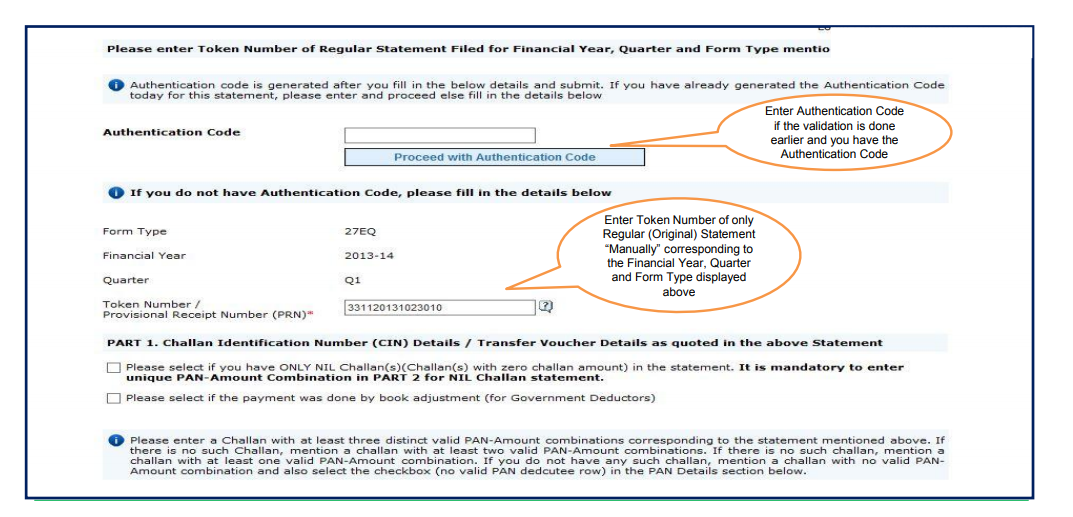
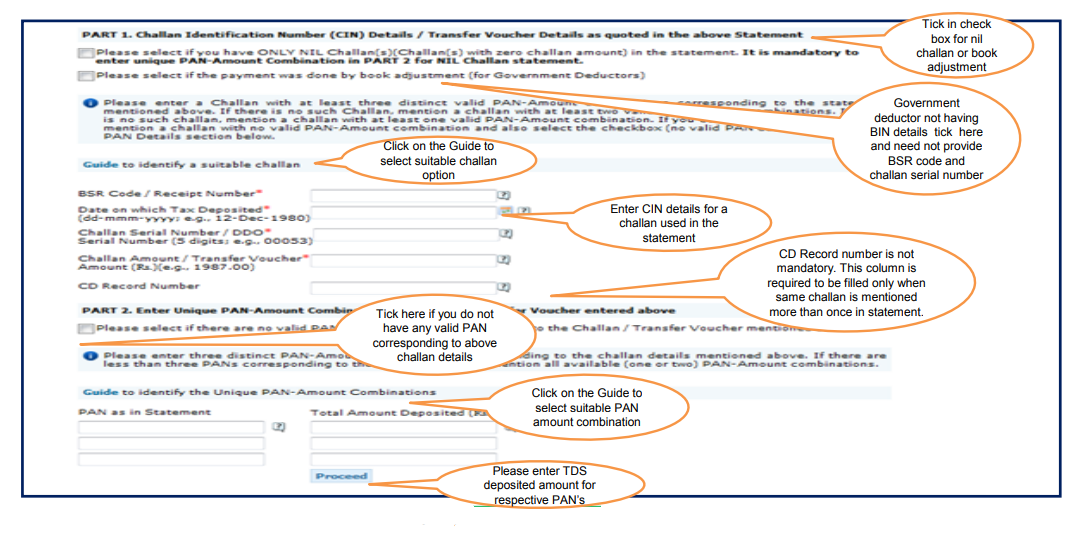
Step 6: Enter challan details & PAN Details
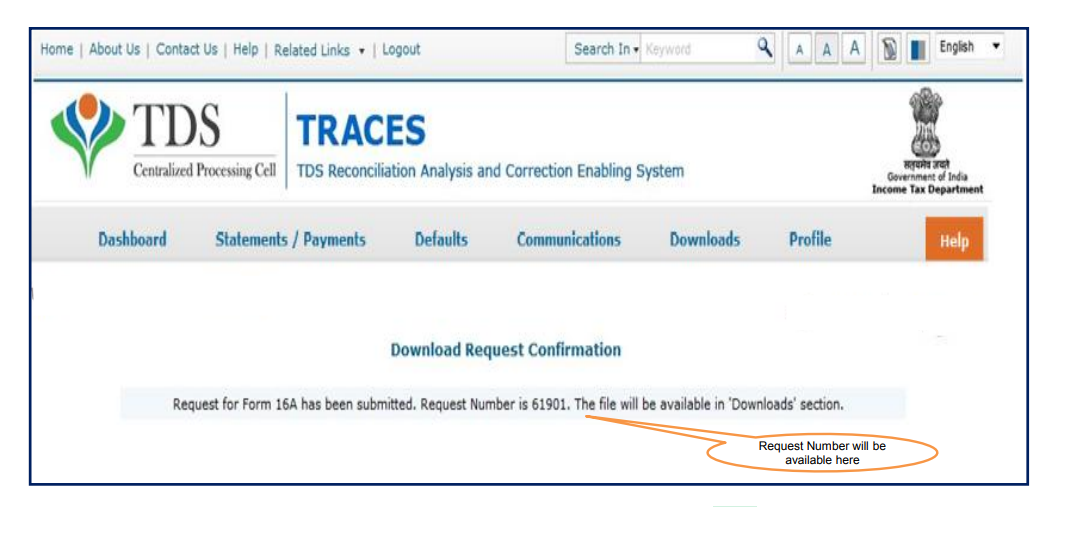
Step 7: A Unique "Request Number" will be generated
-
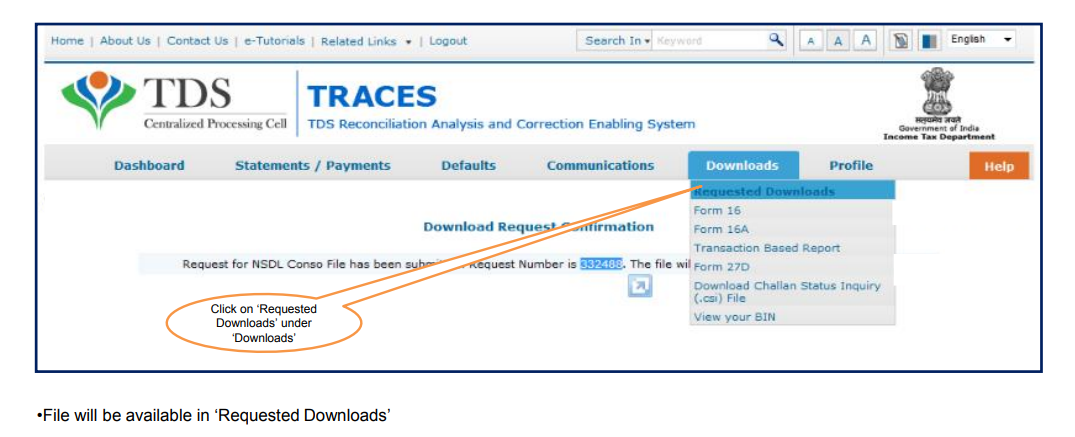
Click on "Downloads" >> Requested Download
Step 8: Deductor can search for Form 16A by using below mentioned details.
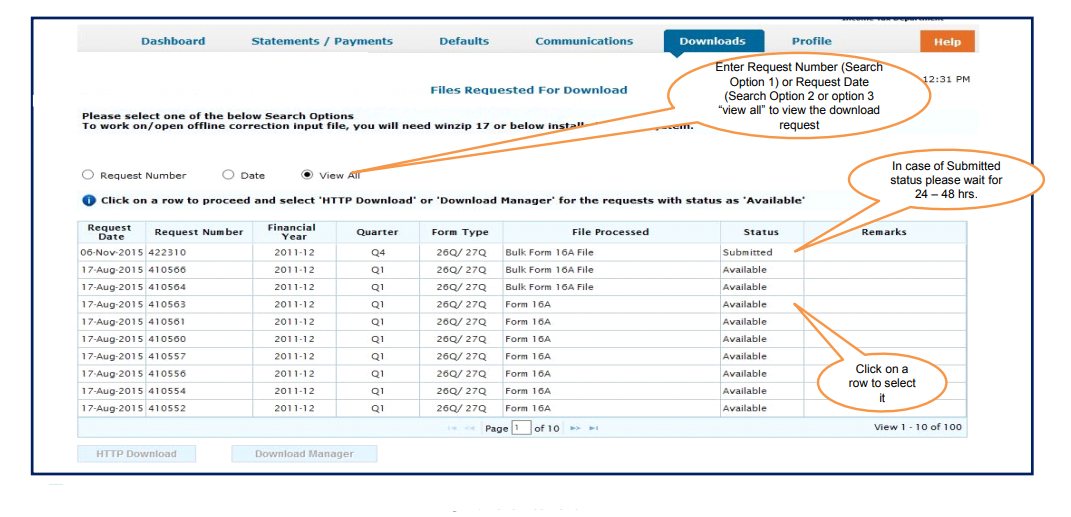
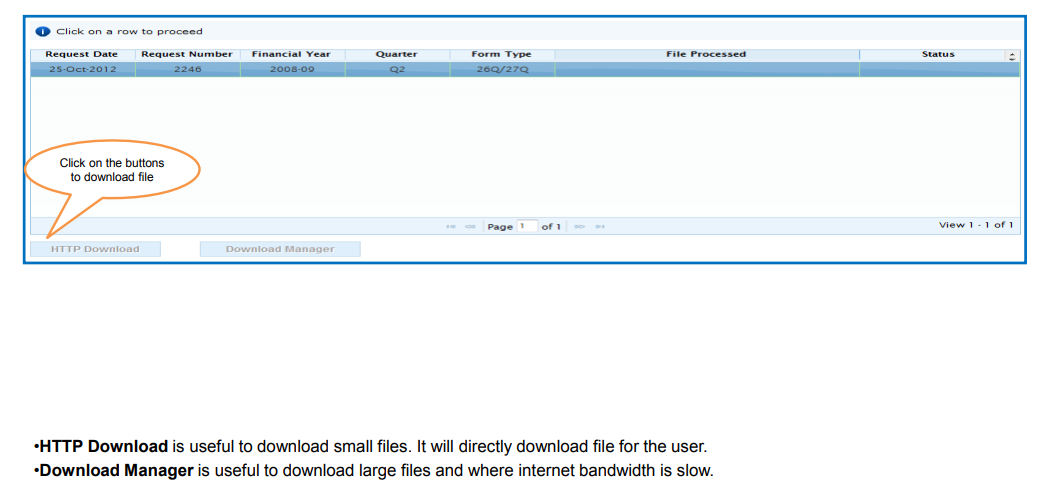
Step 9: You can download Form 16A through “HTTP download” or “Download Manager option”.
Comments
0 comments
Please sign in to leave a comment.