
Form 16 has four parts (Part-A, Part-B, Form12BA, and Salary Annexure). Part-A and Part-B have to generate from TRACES and Form 12BA and Salary Annexure you can generate with the help of Skorydov Smart Form 16 utility. You can also merge TRACES Part-A, Part-B with Form 12BA, and Salary Annexure in a single PDF through this utility and digitally sign it.
Steps to generate Part-A, Part-B from TRACES.
Step 1: Login to TRACES website [www.tdscpc.gov.in].
Step 2: Click on "Form 16” option available in “Download’s” tab
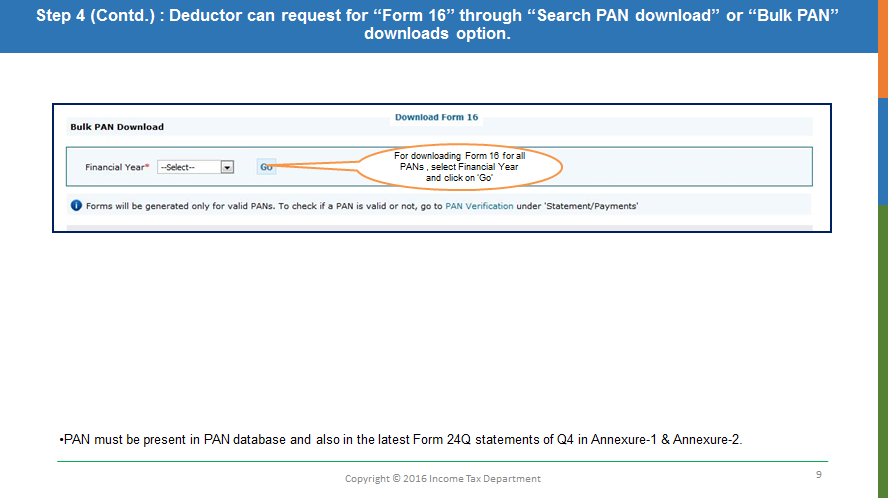
Step 3: Select the' Bulk PAN Download' option to generate Form 16 for all the employees.
-
Bulk PAN download: This option is to download Form16 text files for all valid PAN’s of the employees.
Step 4: After completing the KYC a unique “Request number” will be generated, which means your request is successfully submitted, and now you can download the Form 16 text files from the download section. 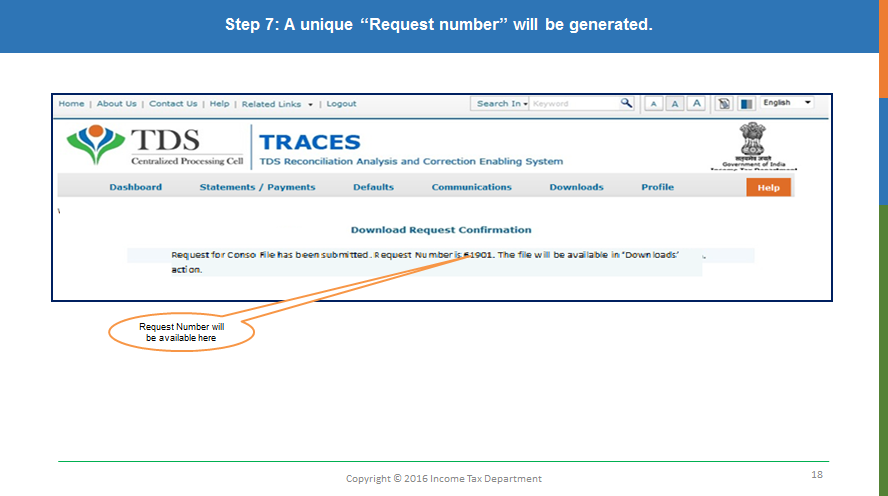
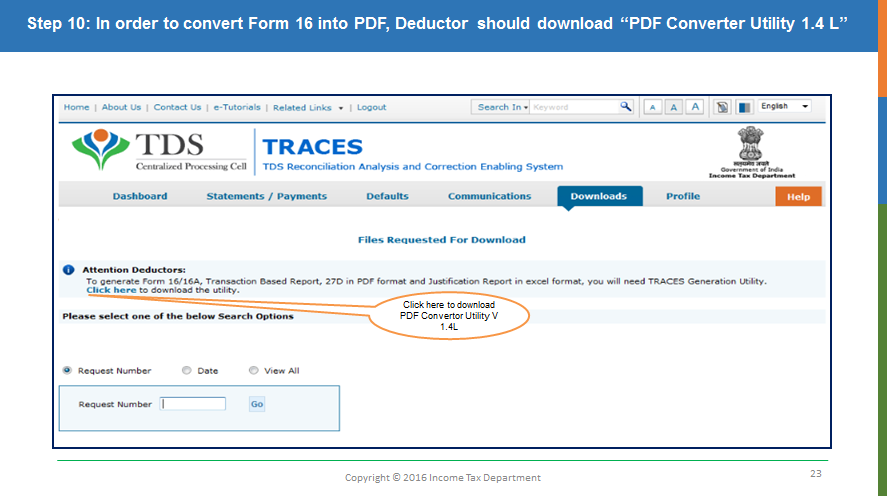
Step 7: Download “Form 16 PDF Converter Utility to convert Form 16 Part-A and Part-B text files into PDF format. Converter Utility can be downloaded from the “Download” >> “Requested Download” tab.
-
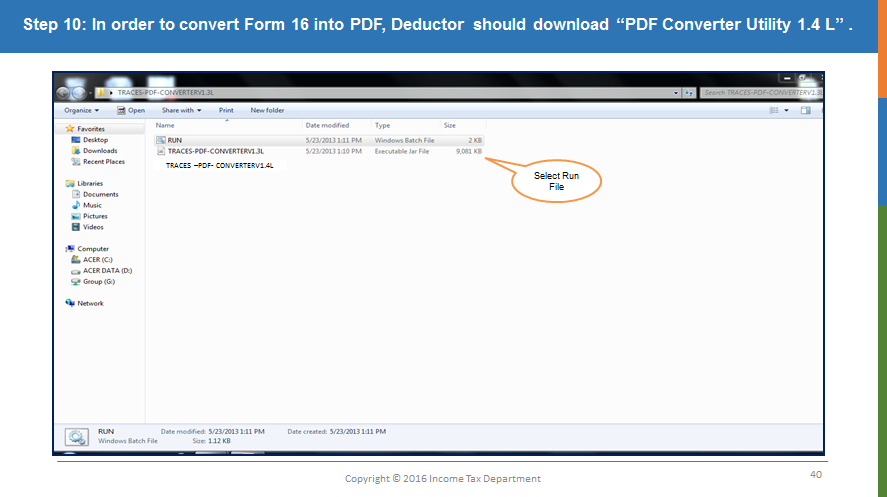
Generate Form 16 Part-A and Part-B through TRACES Form 16 PDF Converter Utility.
Steps to generate Form 12BA, Salary Annexure, and Merge TRACES Part-A, Part-B with Form 12BA and Salary Annexure:
Step 8: Log in to Stacos.com
Step 9: After Successful login click “Digitally Signed Form-16” App from the Dashboard
Step 10: Download “Smart Form16 Software”.
Step 11: Fill in the details required to generate Form 16 as per the heads given in the sheet.
-
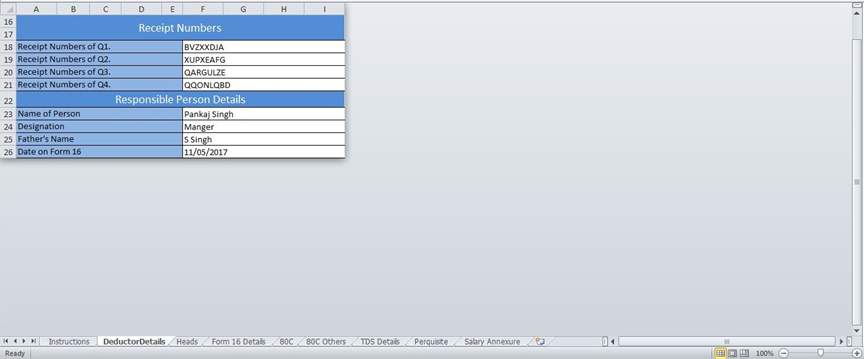
Deductor Details: Fill the Deductor and Responsible Person details in this sheet.
-
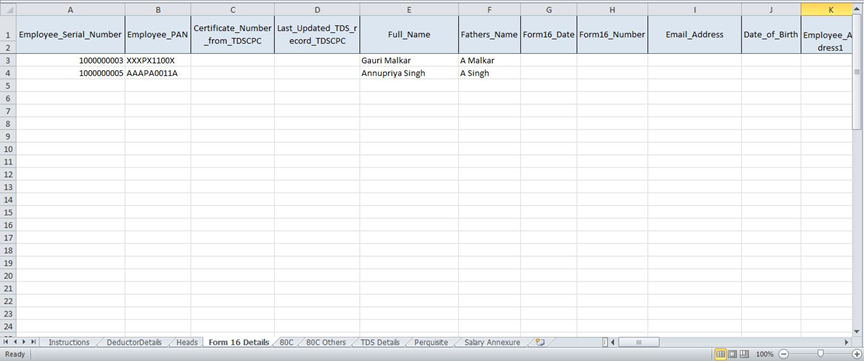
Form 16 Details: Fill the annual salary details of all the employees in this sheet.
-
Prerequisite: Fill the details of Perquisites for all the employees in this sheet.

-
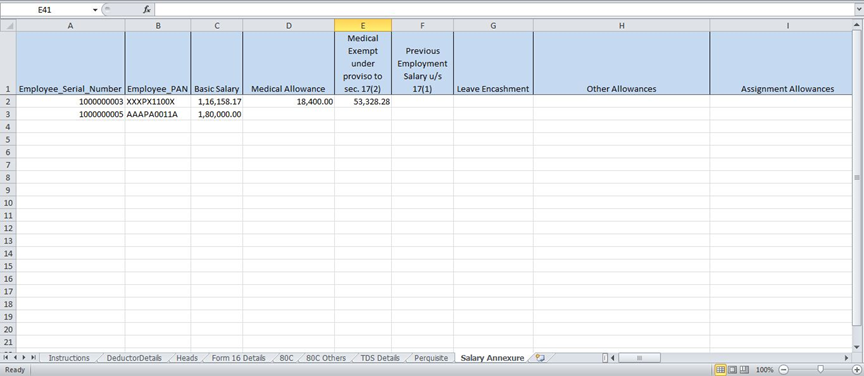
Salary Annexure: Fill the details of Salary breakup for all the employees in this sheet.
-
After filling the details in the excel template save the file.
Step 12 : Install the Form16 Merging Utility in your system to merge TRACES Part-A, Part-B with 12BA, Salary Annexure and Digital Sign.
Step 13: After installing open the utility and click to Next.
Step: 14 Select the option as per the requirement and click Next.
Step 15: Select the respective folders where Form16 excel data and TRACES Part-A and Part-B are saved and click on next.
Step 16: Select the Form16 options as per requirements and click Next.
Step 17: Select the number of rows as per the excel template for which to create Form 16 and click to Generate.
Step 18: Choose Digital Signature for signing and click OK.
Step 19: The software will start the Form 16 generation and save the PDF in the folder you have assigned.
For support Call us at 9320546103,6200797450, or 8544427195 or E-mail us on support@skorydov.com
Comments
0 comments
Please sign in to leave a comment.